
Grow Your Business
Visual Scheduling
Drag and drop calendar for field service teams that need speed and clarity.
When your phone rings with a new service call, you need to see your entire team's availability and drop that job into the right slot instantly. That's what a drag and drop calendar does: it replaces the back-and-forth of phone calls, text threads, and spreadsheet calendars with a visual interface where scheduling decisions happen in seconds.
Day, week & month views
iOS & Android
Job moved
2 PM → Thursday · tech notified
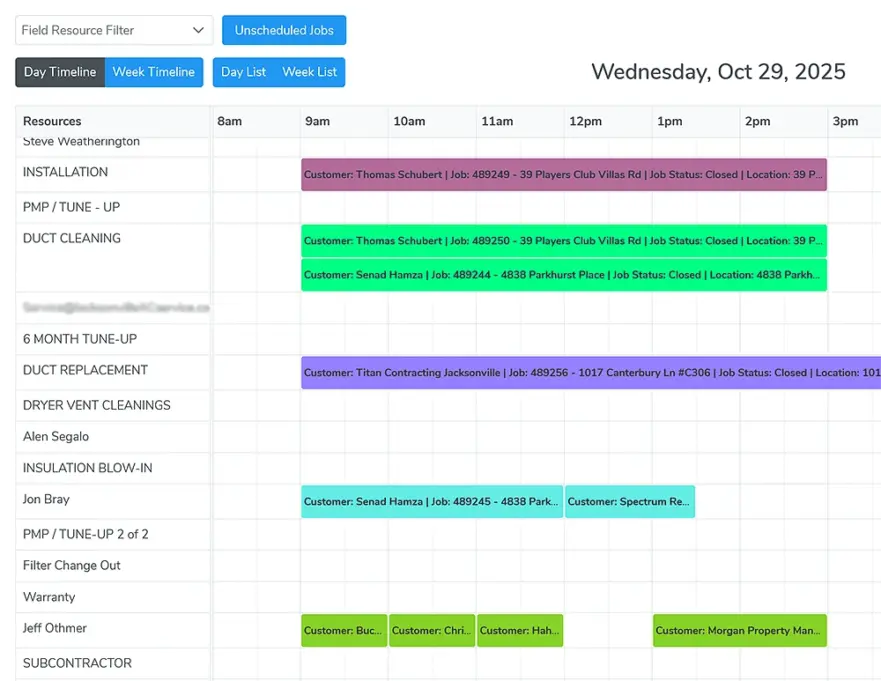
Timeline view
One row per technician
Timeline ViewEvery tech in their own row
Real-Time AlertsTechs notified when jobs change
Mobile AccessiOS, Android, any browser
Automated RemindersText and email on every change
In plain English
What a drag and drop calendar is and who uses one.
A drag and drop calendar is a scheduling screen where every appointment is a block you pick up and move to a new time, a new day, or a different technician's row. Moving the block is the whole scheduling action. In a field service business it replaces manual scheduling with a live view of every technician's availability, and it notifies the technician and the customer whenever a job moves.
Owner-dispatchers running two or three trucks
For a small crew, it means the job booked during a phone call lands on the right technician's row while the customer is still on the line.
Dispatchers coordinating a full roster of technicians
For a larger operation, it means ten or twenty lanes on one screen, so gaps and double-bookings show up before the day starts.
Bella FSM's drag and drop calendar is built for that full range, from two trucks to fifty. The trial runs 14 days and requires no credit card.
29% of small business owners reported job openings they could not fill in May 2026, and a technician who loses one unnecessary hour per day to poor routing gives up about 260 hours per year, or $39,000 at a $150 billable rate. Source: 2026 State of Small Field Service Businesses
Built for service businesses
Why Bella FSM's Drag and Drop Calendar Is Different
Most calendar tools are built for office workers booking conference rooms. Bella FSM's drag and drop calendar is built for service businesses that dispatch field technicians to customer locations every day. The difference shows up in every feature.
Color-Coded Calendar for Better Organization
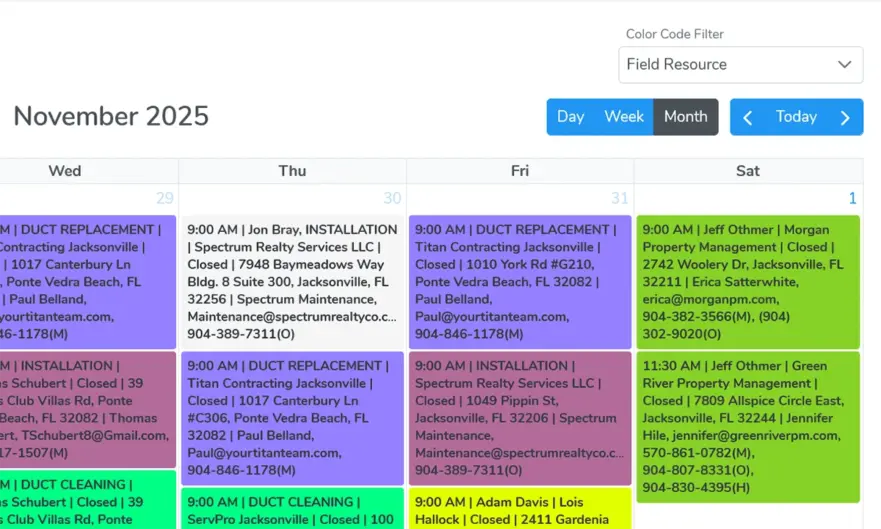
Bella FSM lets you assign colors by job type, priority level, job status, or any custom category that makes sense for your business. At a glance, your dispatcher can tell the difference between a routine maintenance visit (green), an emergency repair (red), an installation project (blue), and a follow-up estimate (yellow).
Recurring Appointments and Maintenance Scheduling
Set a quarterly filter replacement, a monthly cleaning contract, or a biannual inspection, and the system creates every future appointment automatically and assigns it to the right technician. If plans change, drag the appointment to a new date and the entire series adjusts. Service businesses that rely on maintenance contracts need a calendar that shows what's scheduled weeks or months from now, not just today.
Mobile Calendar Access for Field Technicians
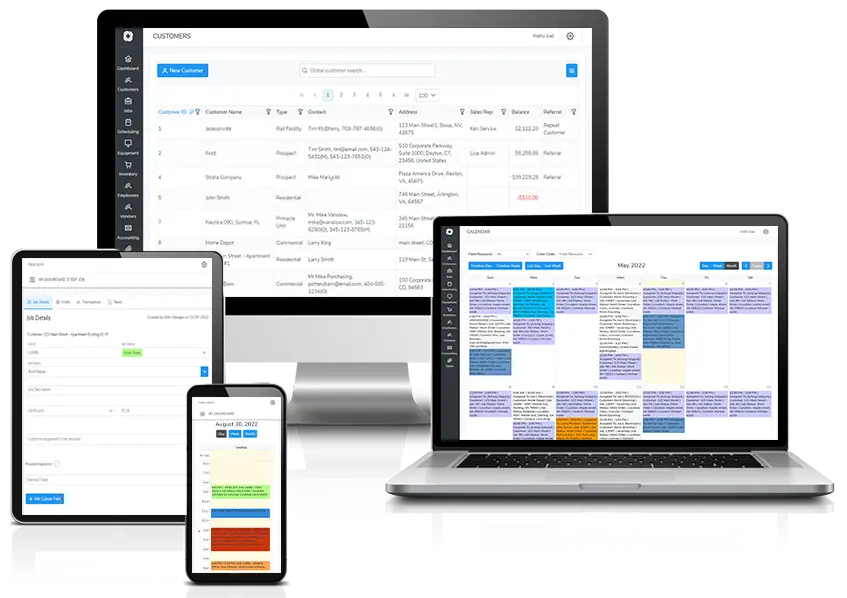
Your technicians don't sit at a desk. They're in a van, on a roof, or under a sink. That's why Bella FSM's drag and drop calendar works on any mobile device, phone or tablet, iOS or Android, with the day's schedule, job details, and directions on it.
Automated Notifications and Appointment Reminders
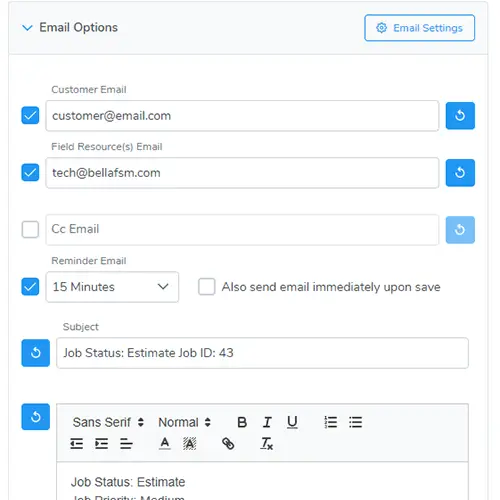
Every time something changes on the calendar, the right people need to know. Bella FSM sends automated text messages and email alerts for new job assignments, rescheduled or canceled visits, upcoming appointment reminders for customers, and technician arrival and completion updates.
Every Appointment Linked to a Customer Record
Unlike generic calendar apps, every appointment is connected to a full customer record, open estimates, inventory, and invoicing. Built-in inventory tracking tells the crew what parts to bring before they leave, invoicing connects directly to completed appointments so you bill the moment the job is done, and work orders are unlimited.
Reschedule Jobs in Seconds
Plans change. Drag and drop jobs to a new time, date, or technician without re-entering the details. Bella FSM makes it easy to adjust your field service schedule and keep your team organized as the day changes.
Timeline View
Start Free Trial
Drag and Drop Timeline View
The timeline view gives you a horizontal look at your entire team's day, week, or month. Each technician gets their own row, and every job appears as a block you can grab and move. Need to reschedule a 2 PM appointment to Thursday? Click it, drag it, drop it. Need to reassign a job from one crew member to another? Drag it to their row.
Compare crew availability side by side in real time
- Spot scheduling gaps and double-bookings at a glance
- View daily, weekly, or monthly layouts depending on your planning needs
Reassign jobs between technicians without phone calls
- Adjust schedules on the fly when emergencies come in
- No form to fill out, no confirmation dialog, no re-entering data
- You see the conflict, you fix it, and the field team gets an automatic notification
Multi-Technician Teams
Explore the field service CRM
Crew Scheduling Calendar for Multiple Technicians
Managing one technician's calendar is straightforward. Managing five, ten, or twenty is where things get complicated, and where a visual scheduling calendar becomes essential. Add team members with a few clicks and assign them full-time or part-time as needed. Each person's schedule appears in its own lane, color-coded by job type, priority, or status. When a new job comes in, you can instantly see who's available, who's closest to the job site, and who has the right skill set.
Every job linked to the customer's full profile and service history
- Open estimates and pending approvals
- Parts and inventory needed for the job
- Previous invoices and payment history
- Notes, photos, and equipment details from past visits
Assign by availability, distance to the job site, and skill set
- Add technicians full-time or part-time with a few clicks
- Lanes sort by job type, priority, or status so busy days still read cleanly
- Color coding separates one-time calls from ongoing maintenance contracts in the same view
Mobile & Notifications
Explore the mobile field service app
Mobile access and automated alerts for every schedule change.
Drag-and-drop scheduling is only useful if the change travels. When you drag a job to a new time or a different technician, the entire system updates. The tech gets notified on their phone, the customer record reflects the change, and the office sees each status update as it happens. When a technician marks a job complete, the dispatcher knows immediately and can assign the next one. No phone calls, no check-ins, no guessing where your crew is.
Mobile calendar on iOS, Android, or any browser
- View the daily schedule with job details, customer info, and directions
- Access customer history and past service notes before arriving on site
- Update job status as they arrive, work, and complete each appointment
- Log time, capture photos, and collect signatures directly from the calendar
Text and email alerts without a separate messaging app
- Real-time notifications when jobs are added, moved, or canceled
- Upcoming appointment reminders for customers
- Sent directly from the schedule, in one click
How it works
How the drag and drop scheduling calendar works, from phone call to closed job.
A job enters the drag and drop scheduler during a phone call and leaves it as a completed visit. Every hand-off in between happens on the same screen, and nobody types the same address twice.
1
A new job comes in
The dispatcher opens the timeline view with every technician's row on it. The customer's record and service history are already attached to the call.
2
Drag the job to an open slot
Drop it on the right technician's row. There is no form to fill out and no confirmation dialog. The placement is the assignment.
3
The technician gets the alert
An automatic notification lands on their mobile app with the address, the job details, and the customer history from past visits.
4
Status flows back to the office
The office watches each status change land: on the way, on site, done. If the plan shifts, the job gets dragged to a new time or a new row and the same alerts go out again.
Built for the trades
Industries that schedule their field teams in Bella FSM.
Recurring appointments are especially valuable for HVAC tune-ups, pest control visits, carpet cleaning contracts, and any service where consistent scheduling drives recurring revenue. Each industry page below shows how that trade books, moves, and completes its work in the same scheduling calendar software.
If you're looking for a complete overview of how Bella FSM handles scheduling across industries, visit our job scheduling software page to see the full feature set, competitor comparisons, and industry-specific scheduling tools.
Frequently Asked
Common questions about the drag and drop calendar.
What is a drag and drop calendar?
A drag and drop calendar is a visual scheduling interface that lets you create, move, and reassign appointments by clicking and dragging them on a timeline. In field service businesses, it replaces manual scheduling with a real-time view of your entire team's availability.
How does a drag and drop calendar work for field service teams?
When a new job comes in, dispatchers see every technician's schedule in a timeline view. They drag the new job to an open slot on the right technician's calendar. The technician gets an automatic notification on their mobile app with all the job details. If plans change, the dispatcher drags the job to a new time or person and everyone is updated instantly.
Can I schedule recurring appointments with a drag and drop calendar?
Yes. Bella FSM supports recurring appointments with customizable frequency. Set weekly, monthly, or quarterly visits and the system populates your calendar automatically. Each recurring appointment can be color-coded and assigned to a specific technician. If a date needs to move, drag one appointment and the entire series adjusts, and both the technician and the customer receive updated notifications.
Does the drag and drop calendar work on mobile devices?
Yes. Bella FSM's calendar works on any smartphone or tablet. Technicians can view their daily schedule, receive real-time updates, and update job status from the field. Office staff can manage the full calendar from desktop or mobile, and they see each status change the moment a technician makes it.
What makes Bella FSM's calendar different from Google Calendar or Outlook?
Generic calendars show time and location. Bella FSM's calendar connects every appointment to a full customer record, service history, inventory, and invoicing. When a technician opens a job, they see everything they need, not just an address.
Is there a drag and drop calendar app for field service teams?
Yes. Bella FSM's drag and drop scheduling app runs on iOS, Android, and any browser, so the calendar the office drags jobs around on is the same one technicians open in the truck. Techs see their day, job details, and directions, then update status from the site. Office staff can move a job on the drag and drop schedule from a phone as easily as from a desktop.
Get to the next level
Put every job, technician, and customer on one drag and drop calendar.
Stop losing jobs to scheduling confusion. Bella FSM's drag and drop calendar gives your office clarity and your field team direction, all from one visual interface. Free 14-day trial, no credit card required, cancel anytime.
What you get on day one
- Day, week, and month timeline views
- Unlimited work orders
- Recurring appointments that fill the schedule automatically
- Mobile calendar for iOS and Android
- Text and email alerts for every change
- Every appointment tied to a customer record